Your business is losing leads after hours: find the leak in 60 seconds (free tool + AI receptionist)
Slow replies, after-hours messages, no-shows and missed follow-ups quietly cost clinics, salons, agencies and online stores every month. Find your leak with a free tool, then watch an AI receptionist plug the biggest one.
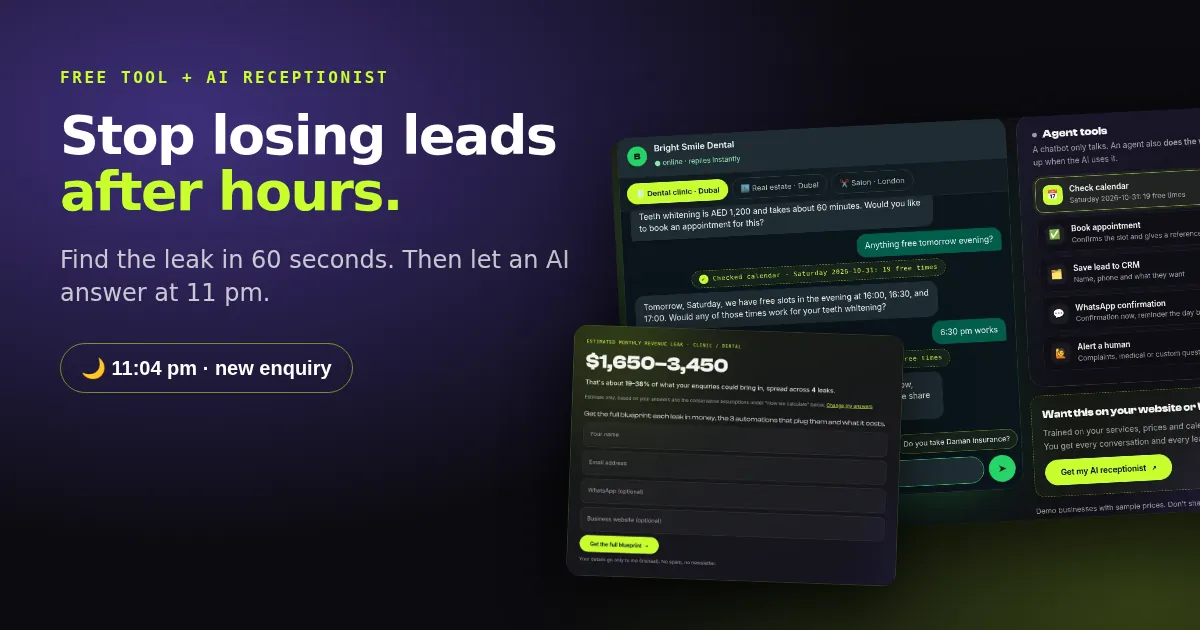
It's 11:04 pm. Someone in Dubai Marina finally has time to look for a dentist. They find your website and type: "How much is teeth whitening? Anything free tomorrow?" Then they wait. Nobody answers, because your team went home at 8. When you reply at 10 the next morning, they've already booked with the clinic that answered first.
That's a revenue leak: money you should have earned but lost to a gap you can fix. Most businesses have more than one, and none of them show up in your reports. This guide shows how to find yours in about 60 seconds with a free tool, and how an AI receptionist plugs the biggest one for most service businesses: enquiries that arrive when nobody is there.
The 7 leaks that quietly cost you money
Clinics and salons feel no-shows most. Real estate feels missed follow-ups. Online stores feel abandoned carts and refused cash-on-delivery orders. Here's the full list, with the fix for each.
Step 1: Find your leak in 60 seconds
The Leak Finder is a free tool on my site. You answer three short steps and it puts a monthly number on your leaks:
- Your business type: real estate, clinic or dental, e-commerce, restaurant, salon, agency or other.
- Your numbers: enquiries (or orders) per month and the average value of one customer.
- Your reply habits: how fast you usually reply, what share of enquiries arrive after hours, and whether customers reach you on WhatsApp.
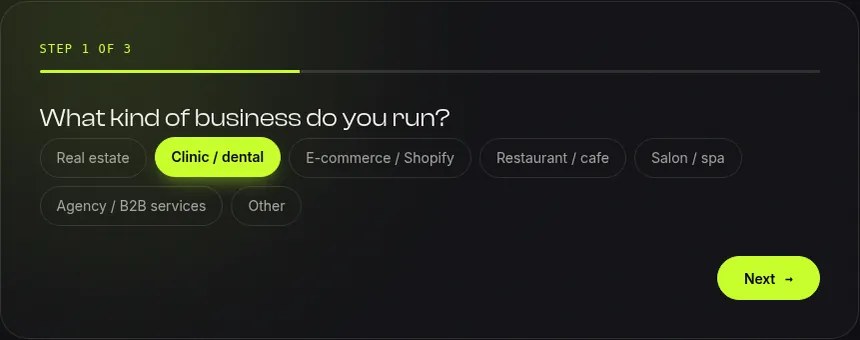
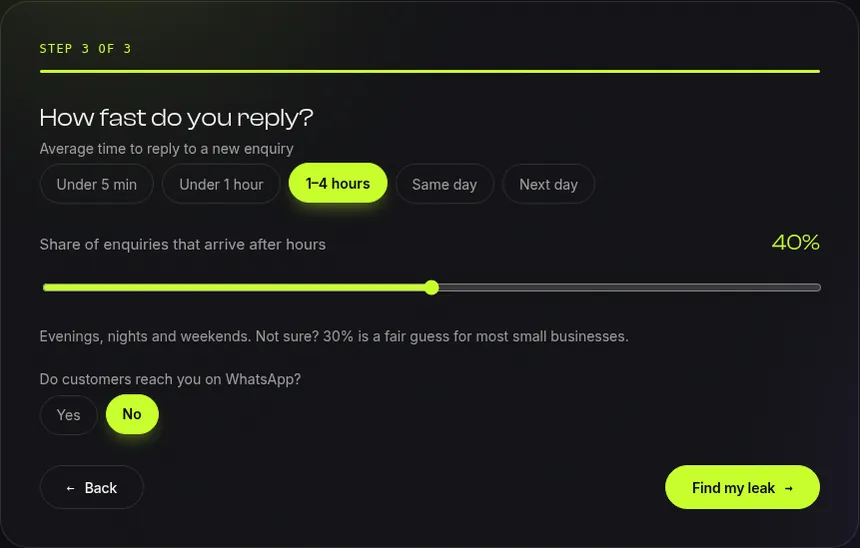
Here's an example I ran for a dental clinic with 200 enquiries a month, a $150 average treatment, replies in 1–4 hours and 40% of enquiries arriving after hours:
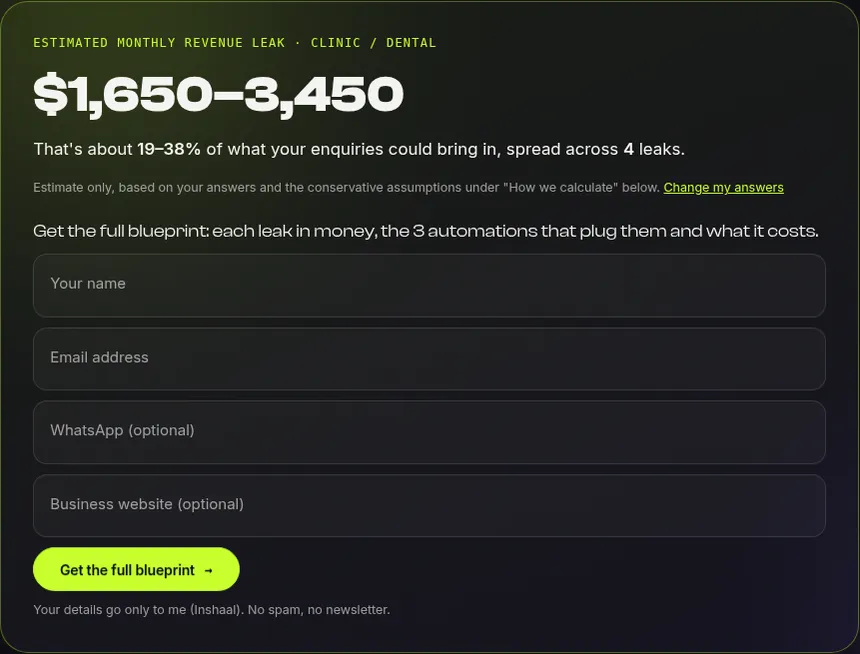
It's an estimate, not an audit. It runs in your browser, uses cautious assumptions that are all listed on the page, shows a low-to-high range and never claims more than 40% of your potential revenue. Your numbers are only sent if you ask for the full blueprint.
Step 2: Watch an AI receptionist plug the after-hours leak
On my AI Agents page there's a live AI receptionist with three demo businesses: a dental clinic in Dubai, a real-estate agency in Dubai and a salon in London. It runs on a real AI model, not a script. Here is a real chat I recorded, with no edits and no sound:
What happens in the recording:
- A price question gets an instant answer from the clinic's own price list: AED 1,200, about 60 minutes.
- "Anything free tomorrow evening?" The agent checks the calendar first, then offers real free times.
- The customer asks for a time that wasn't offered. It checks again, repeats the booking back and asks for a name and phone number before booking anything.
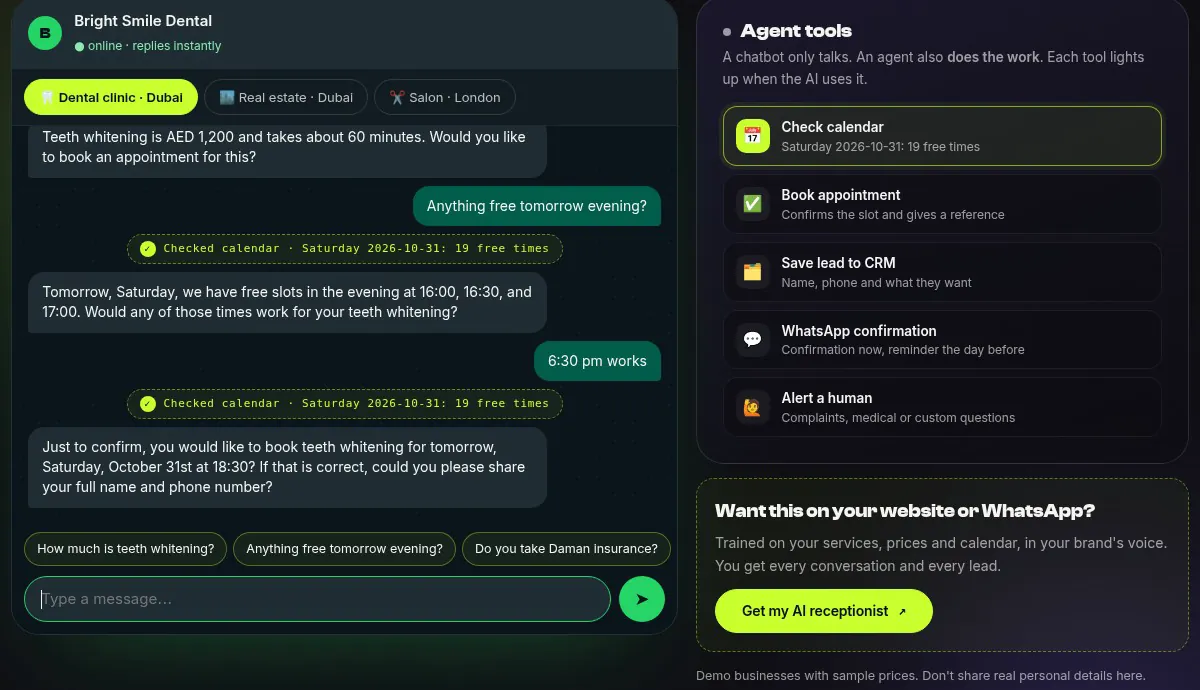
Once the customer confirms, the booking gets a reference number, the owner gets an email alert, a row lands in a Google Sheet and the lead appears in a private dashboard. In the demo the calendar is a sample one; in a client setup it connects to your real booking system. You can chat in English, Arabic or Urdu, so try it yourself.
How it works behind the scenes
+ WhatsApp alert to the owner's phone (alert only). AI chat on WhatsApp is an optional add-on.
The AI handles the conversation. n8n, an automation tool, does the reliable part in the background: it validates the lead, saves it and sends the alerts. The demo video shows the email, the Sheet row and the WhatsApp alert all arriving within the same minute.
What the setup does, and what WhatsApp adds
Website AI receptionist (in the demo)
- The customer chats with the AI on your website, 24/7
- It answers from your prices, hours and FAQs
- It checks free times and books only after the customer says yes
- You get an email, a Google Sheet row and a WhatsApp alert on your phone for every lead
- On WhatsApp it only alerts you. It doesn't chat with customers there
Add-on: AI replies on WhatsApp too
- Customers message your business number and the same AI replies there
- Same answers, same booking rules, same human handoff
- Every WhatsApp lead lands in the same Sheet and alerts
- Needs your own number on the official WhatsApp Business API (Meta)
- Built per client, priced in the quote
In short: the website version talks to customers on your site and pings you on WhatsApp. If most of your customers message you on WhatsApp first, add the WhatsApp version so the AI answers them there as well.
Safety: what the AI is and isn't allowed to do
- No booking without a yes. The server won't book until the customer confirms the details, so the AI can't book by accident.
- Only your facts. It answers from your services, prices, hours and policies, and won't invent discounts.
- A human when it matters. Complaints, medical questions, discount requests and anything unusual get passed to your team.
- Spam and cost limits. Per-visitor limits and a daily cap stop bots from running up your AI bill.
- Your data stays yours. Leads go to your own Google Sheet or CRM, and you can read every conversation.
- No sensitive details. The chat asks customers not to share card, ID or medical information.
What could it be worth? A worked example
Take the clinic example above and be pessimistic: say automation recovers only half of the low estimate, $825 a month. The Business package (3–4 connected workflows, AI receptionist included) starts at $599.
This is arithmetic on the tool's cautious estimate, not a promise. Running costs (AI usage and hosting) are small and quoted up front, and the optional care plan is $79 a month. Your result depends on your volume and how fast you already reply. If you already answer every message in five minutes, day and night, your leak is smaller.
DIY or hire an expert?
Do it yourself
- Fine for a simple "we'll get back to you" auto-reply
- You write the prompts and test the edge cases
- You handle spam, double bookings and wrong answers
- WhatsApp Business API setup and upkeep are on you
Hire an expert
- Built on your accounts, trained on your prices and hours
- Tested for wrong answers, double bookings and abuse
- Handover video and docs, and you own everything
- Fixed price, typically live in 3–5 days (one workflow) or about 2 weeks
If all you need is an auto-reply, do it yourself. If the bot quotes prices, books appointments or touches customer data, get it built and tested properly.
FAQ
Will an AI receptionist give wrong prices or make things up?
It only answers from the facts you give it: services, prices, hours and policies. It confirms before booking, and anything outside those facts goes to a human.
Does it work on WhatsApp?
Two ways. In the standard setup the AI chats on your website and sends you a WhatsApp alert for every lead, but it doesn't chat with customers on WhatsApp. As an add-on, the same AI can reply to customers on your WhatsApp business number, with the same answers, booking rules and human handoff. That needs your own number on the official WhatsApp Business API from Meta.
Which languages does it speak?
The demo handles English, Arabic and Urdu. For a client setup we test it in the languages your customers actually use.
Do I need a new website?
Usually not. It works with WordPress, WooCommerce, Shopify, Salla, Zid and custom sites. If you need a new site too, a website with automation built in starts at $899.
How much does it cost?
Starter is from $199 for one workflow. Business is from $599 for 3–4 connected workflows with AI replies. The care plan is $79 a month. You get a fixed quote after a short call.
Want to stop losing leads after hours?Find your leak for free, then tell me about your business. You'll get a fixed quote, usually within 24 hours.